
The Gaming Trend has driven a new movement in the maker community: the Skin Adaptation from competitive and mobile games to the real world. Unlike traditional console games, Mobile Game Cosplay and competitive shooters like PUBG Mobile, Fortnite, and League of Legends: Wild Rift present unique styling challenges. Frequently, we are dealing with "low poly" visuals optimized for small screens or absurd collaborations (like an anime inserted into a war game).
The process of How to make Cosplay based on these sources requires a solid 2D to 3D Conversion. You cannot simply copy the drawing; it is necessary to interpret the texture, the pre-baked lighting, and the distorted scale of digital models. This practical guide will address the complete workflow, from choosing the skin to physical construction, focusing on maintaining fidelity to the character design while ensuring real-world usability.
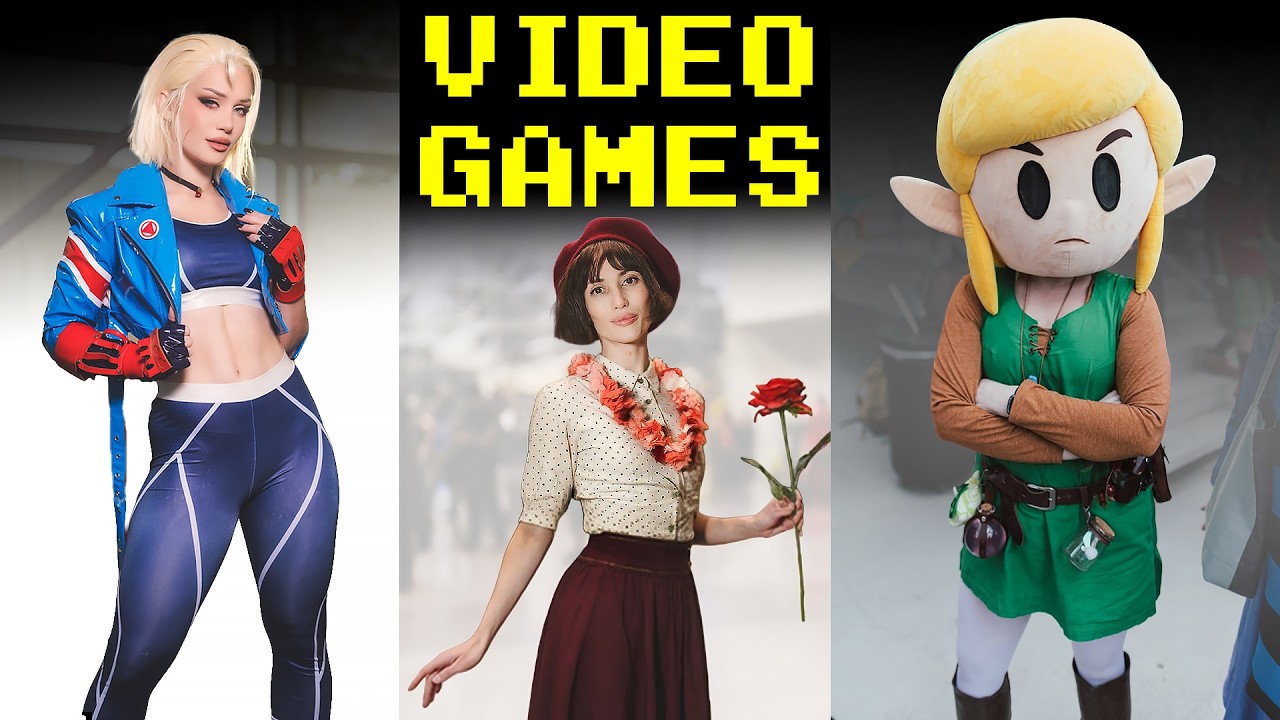
Below, see a selection of the best cosplays from recent games to get inspired and understand the level of detail the community is currently achieving.
What matters in choosing the skin and materials
When selecting a skin from a mobile game to adapt, the first criterion is the density of visual information. Skins from Fortnite Skins or League of Legends Wild Rift Cosplay collaborations often have excessive visual "clutter" (many small details). In the real world, trying to sew every detail that is 5 pixels high will result in a visually noisy costume that is difficult to read.
The 2D to 3D Conversion requires filtering what is essential for the character's silhouette. The golden rule of adaptation is: if the detail is not visible from 3 meters away, simplify or remove it. For example, in a tactical skin from PUBG Mobile Cosplay, complex camouflage patterns can be replaced by real military printed fabrics, which capture the essence without the need to paint every pixel by hand.
The chosen material dictates the success of the Skin Adaptation. While the digital version may have shiny metal, rigid leather, and fluid fabrics all at once, a physical version needs cohesion. Mixing very shiny EVA foam with matte synthetic leather can create dissonance. You must decide on a main finish (matte, semi-gloss, or metallic) and apply the paint or varnish consistently across all materials to unify the look. Mobile game lighting frequently exaggerates contrast; in real cosplay, you need to compensate for this by shading areas that would be too bright on screen, to avoid looking like cheap plastic.
Project profiles and use cases
Not every skin should be made the same way. It is crucial to distinguish between three common profiles of Competitive Game Cosplay and mobile, adjusting the Character Design techniques and construction for each one.
-
The Realistic Tactical (Ex: PUBG Mobile, Call of Duty Mobile)
This profile focuses on military fidelity and functionality. The goal is to look like the character stepped out of the screen and entered the real world. Materials here must be authentic: use genuine or high-quality synthetic leather (Eva Leather), ballistic fabrics (ballistic nylon), and industrial velcros.- Challenge: Avoiding the "carnival costume". The common mistake is using shiny EVA foam for holsters and vests.
- Solution: Use Plasti Dip or textured paint to simulate the surface of matte polymer or metal. Seams should be reinforced, as the aesthetic demands sturdiness.
-
The Stylized/Heroic (Ex: Wild Rift, Mobile Legends)
Here, anatomy is stylized (exaggerated proportions) and materials are fantastical. The priority is visual impact and color reading. The 2D to 3D Conversion allows exaggerating volumes.- Challenge: Making armors look magical and not just made of styrofoam.
- Solution: Use sandwich techniques (EVA + Worbla) for thin, sharp edges. Painting should use airbrush to create gradients that mimic the "cel-shaded" lighting of the games.
-
The Crossover (Ex: Fortnite Skins with animes)
Games like Fortnite mix styles violently (a pixelated ninja in a futuristic space). The challenge is aesthetic harmonization.- Challenge: Coherence between body parts that have different graphic styles.
- Solution: Choose a "base" element (e.g., the mechanical part) and adapt the "organic" part to match it. Use unified color palettes to glue the distinct styles together.
Let's look at a practical example of collaboration and style, where the universe of Jujutsu Kaisen invades the tactical scenario of PUBG Mobile. This illustrates well how to mix anime elements with shooter gear.

Estimated Budget
| Item | Price range | Source |
| --- | --- | --- |
| Entrada (Até R$ 300) | $-6.00 - $2.00 | Base currency |
| Premium (Acima de R$ 900) | $3.00 | Base currency |
Values shown in the guide base currency because no local catalog price is available.
Specific Materials by Category
- Structure and Armor:
- Required: EVA Foam (density 60kg/m³ or higher for armors) or Wonderflex (for complex curves).
- Optional: Worbla Finest Art for fine details that need to be heat-molded over a wire-framed structure.
- Clothing and Base:
- Required: Base fabric (Fleece, Twill, or Satin) and invisible zippers.
- Optional: Synthetic leather (ecoleather) for tactical details, which offers a much superior look to painted fabric.
- Painting and Finishing:
- Required: Primer (Plasti Dip or automotive primer) to seal the foam pores.
- Optional: Powder paints for metals (Alclad ii) or paste pigments for aging (weathering).
- Tools:
- Required: Craft knife with new blade (30º angled tip), metal ruler, sandpapers (grit 120 to 600).
- Optional: Heat Gun (hair dryer works, but is slow), Dremel or mini grinder for internal sanding.
Common Mistakes and Solutions
When working with Mobile Game Cosplay, scale and lighting errors are the biggest villains. Here are the three most frequent problems and how to solve them.
1. The Plastic "Athlete's Foot" (Generic Shiny Surface)
Many beginner cosplayers apply spray paint directly to EVA foam without primer or with varnish that is too shiny. The result resembles a flip-flop toy, not a modern game armor. Mobile games use "normal maps" to create texture that doesn't exist in the geometry; in the real world, you need to simulate this.
- Solution: Always apply 3 to 4 thin layers of Plasti Dip (black or gray) before the color. This creates a uniform membrane. For the final finish, use matte varnish or satin varnish. Use dry brush with silver or bronze paint on the edges to highlight the texture.
2. "Chibi" Proportions on Real Bodies
Mobile skins frequently have larger heads or shorter limbs to save polygons or be "cute" (chibi). Adapting this 1:1 to an adult human body results in a strange and disproportionate look, as if the costume were too small.
- Solution: Do an anatomical "Visual Translation". Keep the layout of the elements (where the shoulder piece sits, the width of the belt), but adjust the measurements to float around 5cm to 10cm from your real body. Use human anatomy references to validate the joints. If the skin has short arms, make the gauntlets cover only up to the wrist, not cutting the forearm.
3. Details Impossible to Sew or Cut
It is common to see skins with intricate geometric patterns that would be impossible to sew or cut perfectly. The maker loses hours trying to cut EVA miniatures that fall apart at the touch.
- Solution: Use the decoupage technique or freehand painting. For repetitive patterns on fabric, use a stencil cut in vinyl (adhesive) and spray paint. For armors, create the main relief in foam and paint the smaller details. This saves weight and maintains visual cleanliness. Remember: in a photo or on stage, paint reads as relief if shadow and light are correct.
Step by Step: Executing the Adaptation
Now that you have the skin selected, the materials, and avoided common mistakes, let's move on to the practical execution of the 2D to 3D Conversion.
1. Mapping and Reference Collection
The basis of any good Skin Adaptation is a complete "Reference Board". Do not rely on just one screenshot. Gather images of the skin from all angles (front, back, sides), official art (which usually cleans up 3D model errors), and if possible, the 3D model extracted from the game to see the flattened texture (UV map).
- Detailing: Print the references at real scale (or use a grid in Photoshop) to measure the pieces. Determine which parts will be made of foam (rigid) and which of fabric (flexible). Mark colors using hexadecimal codes from the screenshot to ensure fidelity when mixing paints.
- Checkpoint: Can you identify all the layers of clothing? What is skin, what is clothing, and what is armor? If in doubt, the texture in the game usually shows the type of material (shine = metal/leather, matte = fabric).
2. Pattern Creation (Initial Mockup)
Never cut the expensive material directly. Start by making a mockup using craft paper, newspaper, or tracing paper.
- Detailing: Use adhesive tape (masking tape) to wrap the part of your body where the piece will go (e.g., forearm). Draw the design lines directly on the tape on your body. Remove the tape carefully and glue it to the paper. This technique ensures the piece will fit your specific anatomy. Add seam margins or overlap for glue (usually 1cm for fabric, 0.5cm for foam gluing).
- Checkpoint: The paper mold must close comfortably around the area without pinching or restricting basic movements (raising the arm, sitting). Adjust now; cutting foam is expensive and slow to correct.
3. Cutting and Shaping Rigid Materials
With the pattern validated, transfer it to EVA foam or Worbla. For Cosplay Materials such as EVA, use a sharp craft knife and make several light passes instead of applying full force to get clean edges.
- Detailing: To create complex curves (like shoulder pads), heat the EVA to a temperature between 80°C and 100°C (using a Heat Gun, maintaining a distance of 15cm) until it becomes pliable. Mold over a mannequin or your own body (with a protective layer) and hold until it cools. For sharp edges, use the sandwich technique: glue low-density EVA between two layers of high-density craft EVA, sand the top at a 45º angle, and heat to seal.
- Checkpoint: The rigid pieces must hold their shape on their own without help from your hands. When fitting, the joints must align perfectly without leaving large visible gaps.
4. Assembly and Structure
Now, join the parts. For Competitive Gaming Cosplay that uses a lot of armor, the method of fastening is crucial.
- Detailing: Use industrial velcro or buckles to close the pieces at strategic points (back, torso sides, inside of boots). For invisible connections (e.g., arm and shoulder pad), use miniature screws or even thin (neodymium magnets) embedded in the foam before sealing. Reinforce the joints with paper masking tape (parchment paper with glue) internally to prevent them from cracking.
- Checkpoint: Wear the full armor set and move as you would at the event (simulate a pose, walk). Nothing should slip out of place. If something rotates, add more fastening points.
5. Sealing and Painting
This is the step that brings life to the Gaming Trend. Sealing prevents the foam pores from absorbing paint and shining strangely.
- Detailing: Apply Plasti Dust or white glue diluted in water (50/50) as a dry primer. Or use 4 layers of spray Plasti Dip. Once dry, sand lightly with 600 grit to remove imperfections. Paint with automotive spray paint (acrylic base) in cross layers (horizontal and vertical). Add shadows (wash) by mixing a little black paint with water and applying it to the recesses; clean the excess with a dry brush. Add highlights (dry brush) on the edges with silver paint or light base color.
- Checkpoint: When running your hand over the painted piece, it should feel smooth or have the desired texture (leather/metal), not sticky. The color should look solid even under intense photographic light.
6. Accessories and Final Details
The difference between a good cosplay and an excellent one lies in the accessories.
- Detailing: Wigs, weapons, and props need special attention. For a skin like K/DA Ahri, for example, the ears and hairstyle are iconic. You can adapt specific tutorials for these elements. See this detailed guide on how to build the wig and ears for the K/DA Ahri cosplay, which uses 2D blueprint principles for physical creation, a technique perfectly applicable to other pop skins.

- Checkpoint: Do a "selfie" test. Take a photo of the full cosplay under your room light and then with flash. If the flash "blows out" (turns everything white) or creates ugly reflections on the foam, you need more layers of matte varnish.
By mastering this flow, you will realize that the popularity of skins, as seen in rankings and Fortnite videos, serves only as the starting point for your creativity. Do not be afraid to mix concepts or adapt a skin so that it works better on your body and with your technical skills. The ultimate goal is not to be a human 3D printer, but to interpret the character in a way that they gain life and impact in the real world. Remember to always check the reference of the original skin versus your physical progress to ensure that the essence of the character has been captured, even if the materials have been altered for the cosplay reality.