Planning a high-level cosplay does not begin with buying fabrics, but with a clear visualization of the final result. Integrating tools like PixAI cosplay into your workflow allows you to simulate complex designs, test color palettes, and validate poses even before cutting the first centimeter of fabric.
In this guide, we will explore how to use artificial intelligence to transform abstract concepts into a concrete action plan, ensuring that your investment in materials is precise and efficient.
Project scope: defining ambitions and deadlines
Before touching any AI tool, define the scope of your project. AI cosplay planning works best when you have clear objectives. Ask yourself: does this cosplay require mobility for combat or is it focused on static aesthetics? What is the realistic deadline for production?
AI acts here as a cosplay design consultant. You can use models like Tsubaki or Serin to visualize how different fabrics (vinyl, silk, cotton) react to light or how the volume of a skirt behaves. The goal is to reduce uncertainty. If you intend to create a complex accessory, use the AI cosplay sketch to draw cutting lines and understand the proportion of the pieces before spending on expensive materials like Worbla or high-end fabrics.
Setting Parameters and LoRA Weights in PixAI
To obtain accurate simulations of fit and color palettes without distorting the character design, fine-tuning technical parameters in PixAI is indispensable:
- LoRA Weight: Keep your character LoRA weight between 0.65 and 0.8. Values above 0.8 tend to "stiffen" the pose and distort simulated fabric textures. Values below 0.6 lose the fidelity of the costume details.
- Fabric Control Prompt: Add negative weight terms to avoid impossible renders. Use
(shiny fabric, plastic texture:1.2)in the negative prompt if you want to simulate matte fabrics like cotton or heavy twill. - Sampling Steps: Configure between 28 and 35 steps using the DPM++ 2M Karras sampler to obtain the ideal balance between sharpness of seam folds and generation speed.
Where to focus complexity: Digital vs. physical design
The great advantage of using PixAI DiT models is the ability to prioritize where your manual effort will be concentrated before starting physical construction. If the AI shows that a complex detail on a sleeve, as seen in the Malon character design, can be solved with a flat appliqué instead of three-dimensional seams, you save precious modeling time.
- Focus on physical: Internal structuring with quality interfacings (Vlieseline) and heat-activated adhesives (Vliesofix). They give physical body to what the AI rendered in an idealized way.
- Focus on digital: Use AI sewing simulation to test color combinations and dynamic fit. By digitally testing cosplay color palettes in PixAI, you validate chromatic harmony under different digital light spectra before selecting your real fabrics.
Step-by-step: Implementing your design
- Reference Prompt Definition: Insert technical details into PixAI, focusing on materials and textures. Use descriptions like "[character] cosplay, matte velvet fabric, synthetic leather details, studio lighting" to get realistic results.
- LoRA Training for Consistency: If the character is obscure or your design is very specific, train a LoRA with reference images. This ensures the generated cosplay design maintains the correct proportion at different angles.
- LoRA Pose Application: Use pose models to test how the costume behaves in action positions. This helps identify tension points in the clothing.
- Appliqué and Detail Simulation: Use the generated design as a template. Print the image, cut out the appliqués, and use Vliesofix to attach them to the fabric.
- Checkpoint: After applying the heat-activated adhesive with the iron, check that the edges are not peeling. The appliqué must be perfectly fixed before running it through the machine.
- Reinforcement with Vlieseline: Apply the interfacing to the back of the pieces that will receive embroidery or zig-zag stitching.
- Checkpoint: The fabric should have enough rigidity not to pucker when sewn. Test on a scrap piece before the final piece.
- Zig-zag Finishing: Use a short, tight zig-zag stitch to seal the edges of your appliqués, ensuring durability.
- Checkpoint: The stitch should fully cover the edge of the appliqué without excessively piercing the base fabric.
For physical execution, learn how to set up your sewing machine:
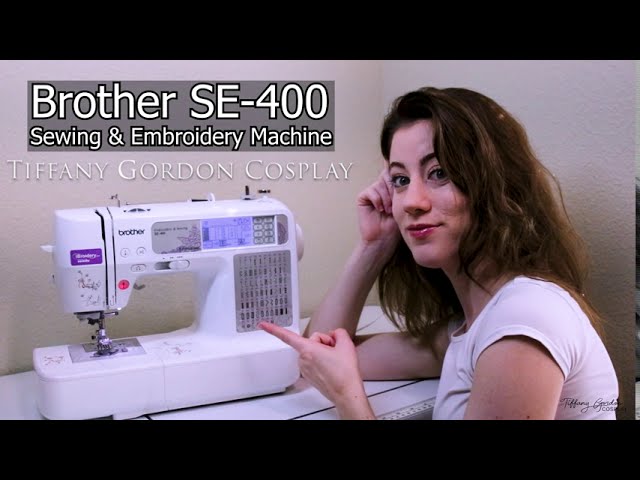
If you need specific tutorials for clothing items, the Obi belt is a great option to start with:

For skirts without zippers, see this quick method:

Artificial intelligence does not replace manual skill, but it raises the level of your planning. By mastering PixAI cosplay, you will be one step ahead, with a visually validated project ready for construction. Keep your AI cosplay planning organized and focus on quality technical execution.
Troubleshooting: Diagnosing errors in generation and physical execution
When using PixAI or LoRA models, the most common error is "detail hallucination," where the AI creates textures impossible to replicate with real fabrics. If your model generated a gold metal detail with complex reliefs, check physical feasibility before buying materials. A frequent technical error is "scale loss": when importing the AI image into modeling software (like Pepakura), measurements may come out distorted. Always calibrate your software with real measurements: measure your shoulder width (in mm) and total height (in cm) and enter these values as a grid reference in the program.
In the assembly phase, if a 5mm EVA piece shows "wrinkles" after bonding with contact cement (like Cascola), the error is usually excessive tension in the material. Diagnose this by observing if the piece "tugs" when worn. The solution is to apply heat with a heat gun at 200°C for 10 seconds to relax the EVA fibers before sealing with primer. If the paint peels off, the error is a lack of sealing: never apply spray paint directly to EVA; always use a layer of acrylic sealer or diluted white glue (2:1 ratio) to create a physical barrier.
Time management: Realistic execution schedule by stage
Cosplayers frequently underestimate "curing and drying" time. A medium-complexity project, planned via AI, should follow this realistic schedule to avoid last-minute crunch:
- Design Refinement (AI): 4 to 8 hours. Do not limit yourself to a single generation; test at least 50 different prompts to capture texture variations.
- Modeling and Pattern Printing: 6 to 10 hours. Includes time for scale adjustment in software and gluing A4 sheets.
- Cutting and Structure Assembly: 15 to 20 hours. Consider 2 hours just for internal structuring (Velcro and 25mm elastic).
- Sealing and Finishing (The most neglected): 10 hours. Application of 3 layers of primer with intermediate sanding (400 grit sandpaper, then 600) for a smooth finish.
- Painting and Weathering: 5 to 8 hours. The use of metallic acrylic paints (such as True Colors or Acrilex brands) requires a 24h drying time between layers to prevent the piece from becoming "tacky."
Add a 20% safety margin to the total time for technical unforeseen events, such as a printer failure or the need to redo a piece due to a cutting error. Documenting each step with photos, saving the prompts used in the AI in an organized folder, will serve as your personal instruction manual for future repairs or for creating new characters that share similar techniques.
Mastering these tools is not just about saving time; it is about transforming the abstract vision in your mind into a costume that looks like it came straight from the screen into the real world. Each millimeter adjustment and each render test in the AI brings you closer to the essence of your character, ensuring that when you finally wear the armor or costume, there will not just be fabric and foam, but the very soul of the hero you chose to embody. Trust your process, respect the drying time of each detail, and prepare to see your character come to life under the convention spotlights.
Estimated Budget
| Item | Price range | Source |
| --- | --- | --- |
| PixAI Credits (Generation and LoRA Training) | $10.00 | Estimated FX |
| Double-sided Heat-n-Bond Paper (Vliesofix) for Appliqués | $3.00 - $9.00 | Estimated FX |
| Woven Interfacing (Vlieseline) for reinforcing elastic fabrics | $2.00 - $6.00 | Estimated FX |
Estimated conversion based on a reference FX rate; local retail prices may differ.