
How to Edit your Cosplay Photos - Tutorial
Get our photography book: https://www.kamuicosplay.com/product/cosplayphotography/
Support our videos: https://www.patreon.com/kamuicosplay
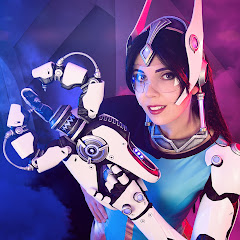
Hey there, it's Benni! Svetlana and I just released our book about Cosplay Photography! To go along with the book, I thought it would be cool to show you how I edited one of our photos completely from start to finish. We shot with a Sony a7RII and I edit everything in Camera Raw and Photoshop CC.
Hope this is helpful! Let me know if you have more questions or other feedback! Would love to hear it! :)
- Benni
Software used:
Photoshop - https://www.adobe.com/products/photoshop.html
(Camera Raw comes included in Photoshop)
YouTube Equipment:
Photo Camera: https://amzn.to/4okzK1o
Photo Lens: https://amzn.to/49HPCrc
Video Camera: https://amzn.to/48e5M9q
Video Lens: https://amzn.to/48oWWWv
Voiceover Rode Mic: https://amzn.to/4iniibm
Intro Mic: https://amzn.to/43SRgT9
Lights: https://amzn.to/4pxjXgQ
Tripod: https://amzn.to/4paQYzO
Attachable Screen: https://amzn.to/4op7lY9
Grey Photo Wall: https://amzn.to/3M2QLjg
*All Amazon links are affiliate links that we get paid for if you buy a product. You can support us by using these links. Thank you!*
___
Website: https://www.kamuicosplay.com/
Facebook: https://www.facebook.com/KamuiCos/
Instagram: https://www.instagram.com/kamuicosplay/
Our corgis: https://www.instagram.com/kamuiscorgis/